01
Take one photo of the ends
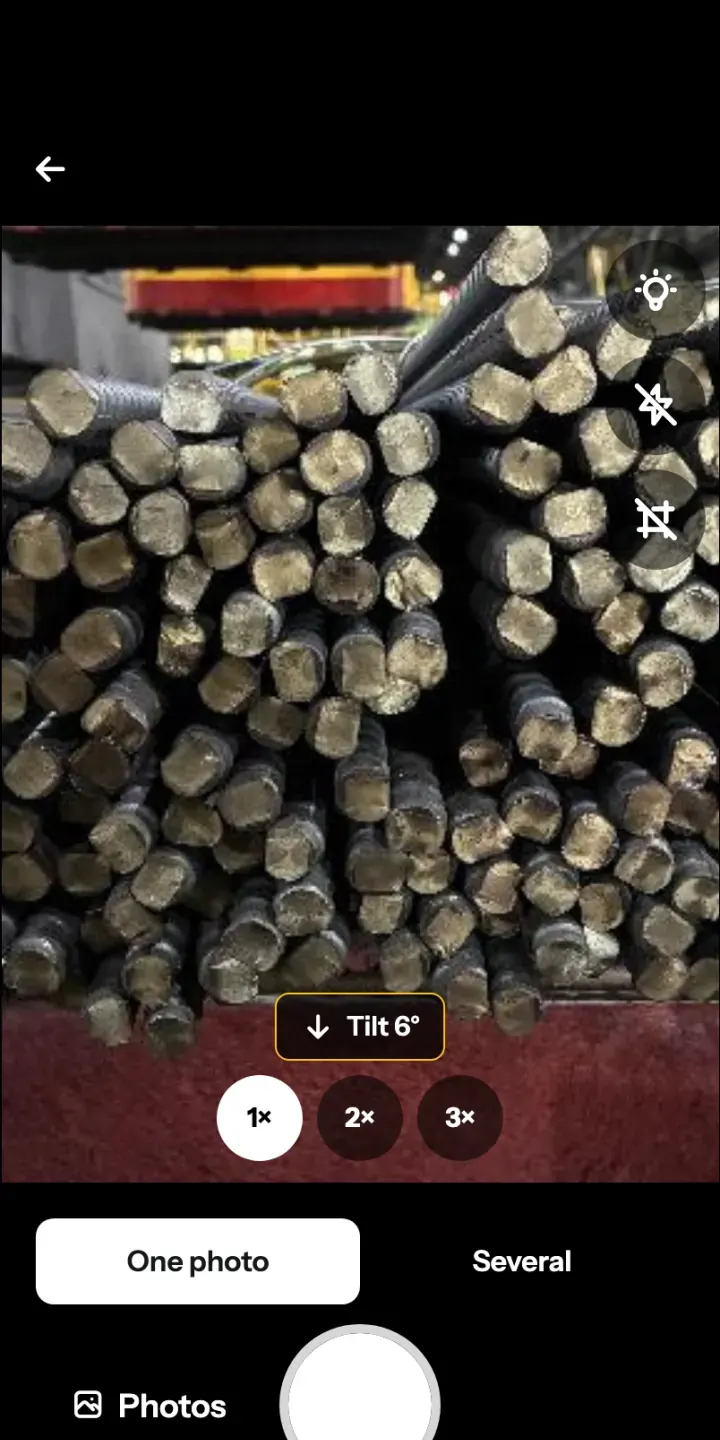
Choose Take photo or From photos. Face the stacked ends and keep them in focus. For a load with many bundles, switch the camera to Several, and all the photos add up to one total.
Rebar and pipe counting app
Take one photo of the stack. Metally marks the ends it finds and adds up the total. You check the marks and send a signed report, whether it’s a delivery at the gate or a stocktake in the yard.
Save up to 6 hours per person, every working day.
That is our estimate for teams whose day is mostly counting and reporting, based on our own timed tests. What you save will depend on your site and your workload.


Try the demo photos in the app before you buy.
How it works
Counting by hand means starting again whenever someone loses track, and then typing the number into a report. With Metally the photo, the count and the report stay together, so you check the result once and send it.
Choose Take photo or From photos. Face the stacked ends and keep them in focus. For a load with many bundles, switch the camera to Several, and all the photos add up to one total.
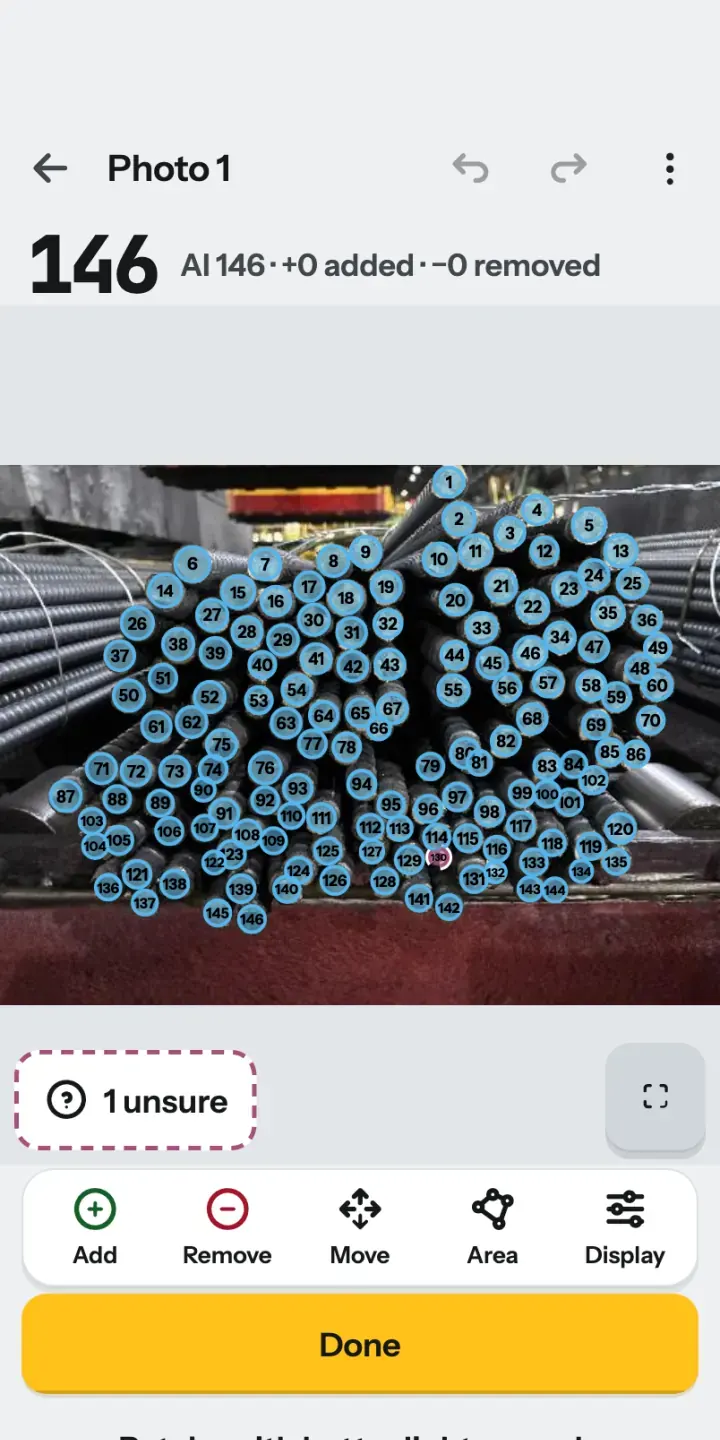
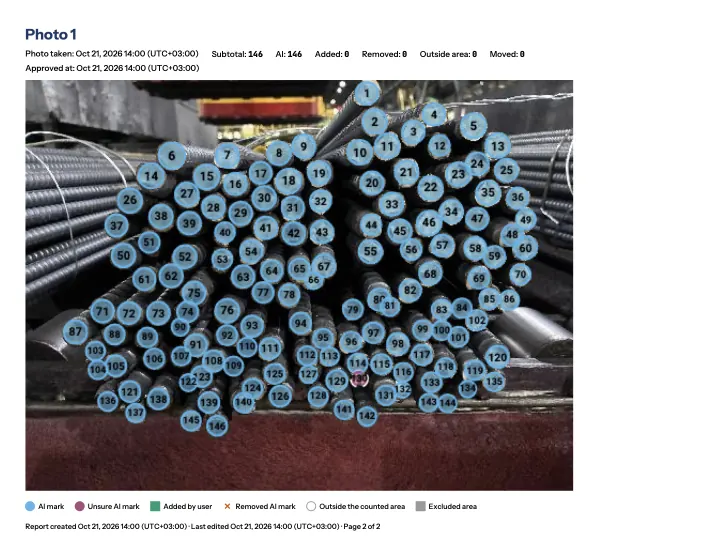
Metally marks and numbers the ends it finds in seconds. Metally can make mistakes, but they are easy to check and correct. Look closely at the dashed marks, where the app is unsure, and add, remove or move any mark by hand.
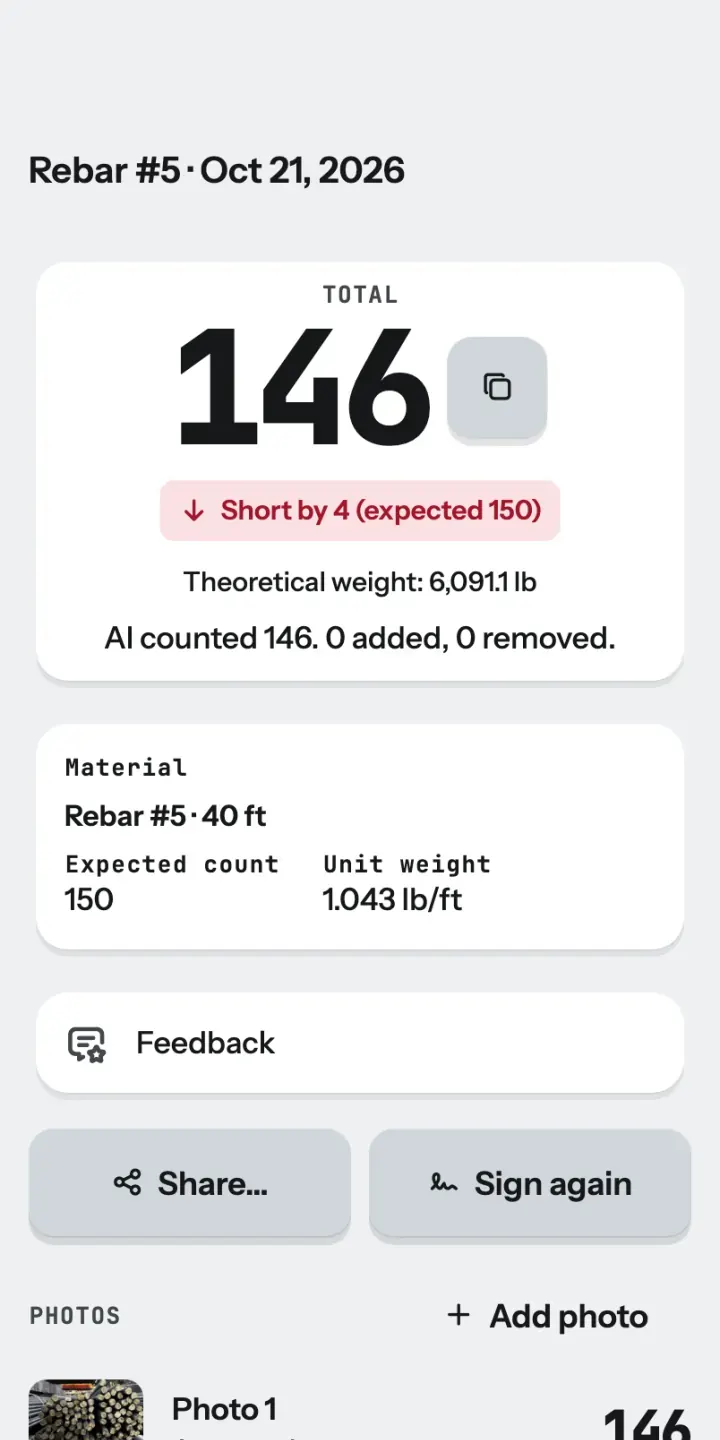
If you have an expected count, such as the number on a delivery note, enter it. Metally shows Matches, Short by or Over by beside the count. Tap Sign and send the report from your phone.
What it counts

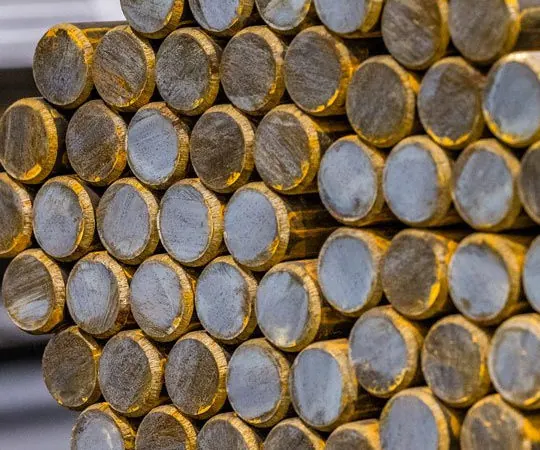
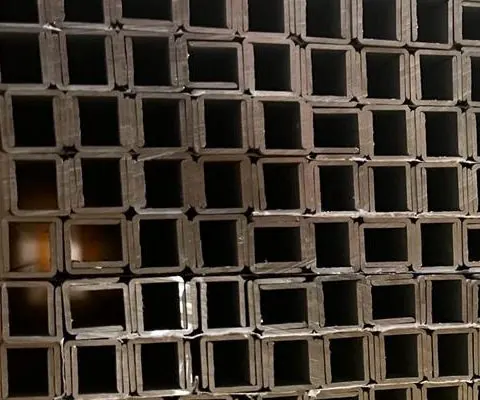
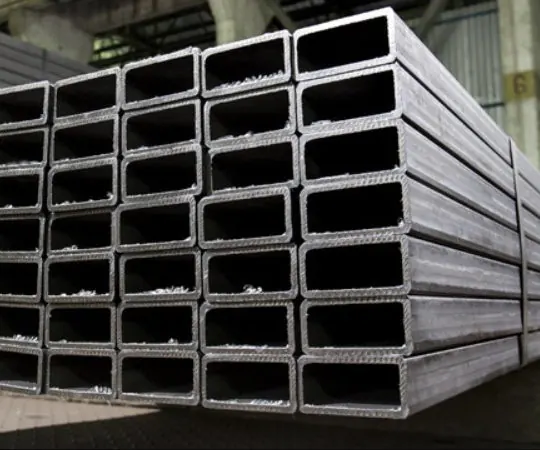
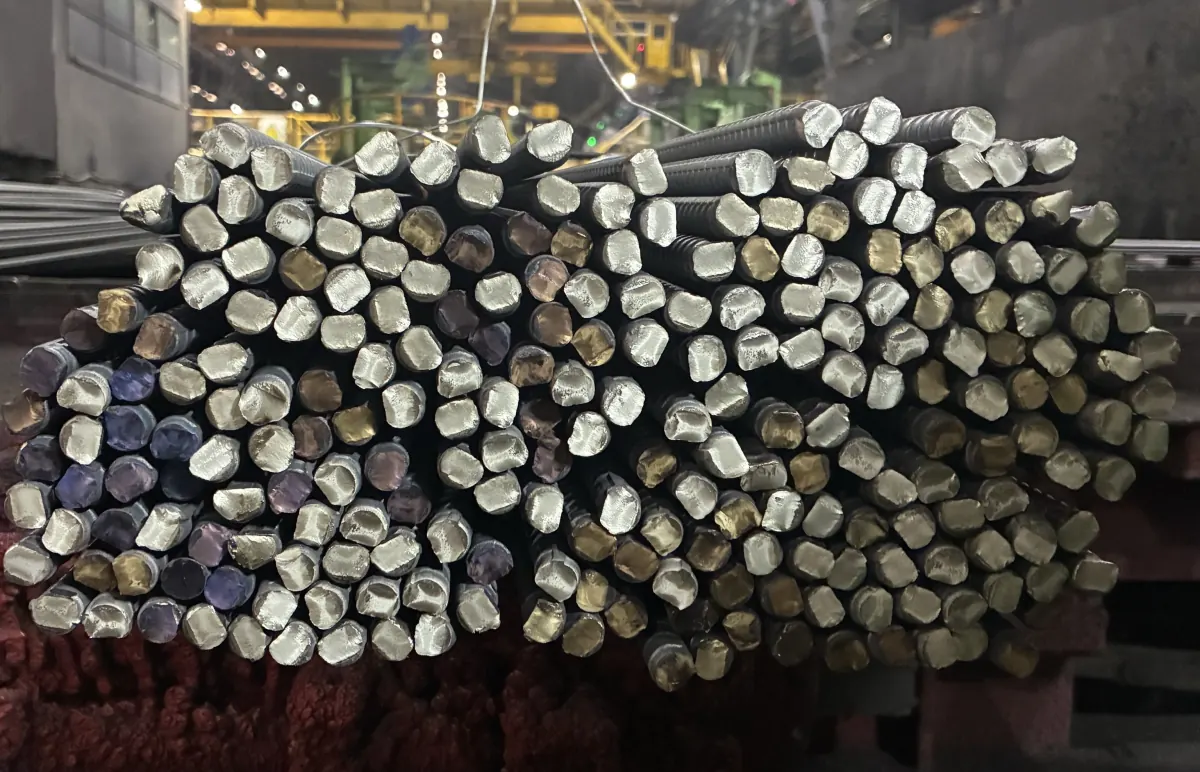
Count bundles and stacks of rebar and TMT bars at the gate or in the yard, along with solid round and square bars.
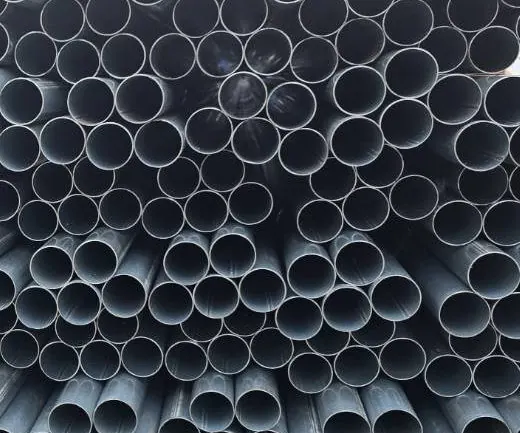
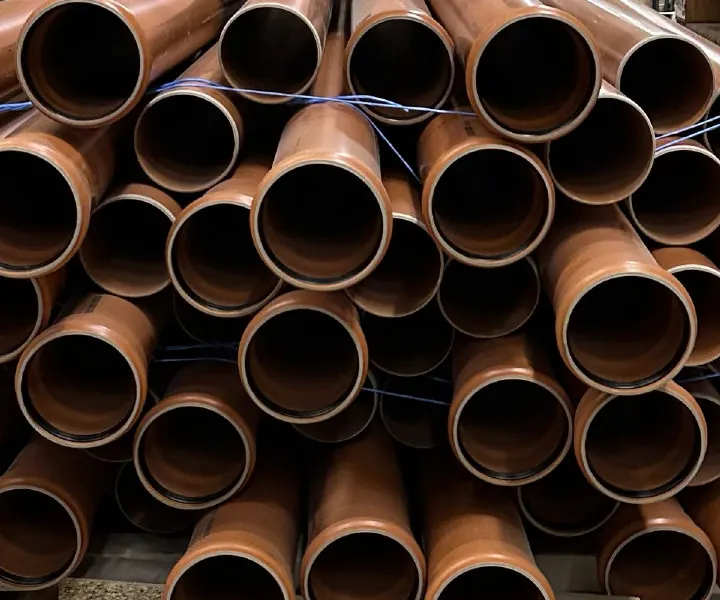
Count steel pipes, scaffold tubes and plastic pipes, in a stack or in a bundle.
Count square and rectangular tubes, which have their own material settings in the app.
Metally counts the ends it can see. Pieces hidden behind others cannot be counted, so photograph the ends straight on and fill the frame.
The report
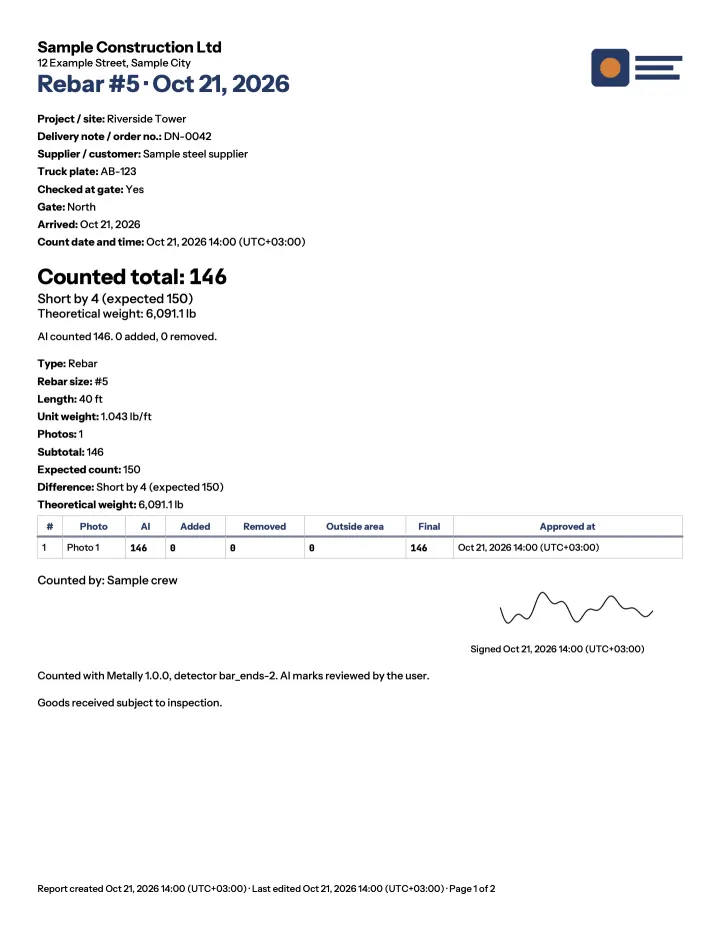
When a delivery comes up short, a number on its own leaves everyone with questions. A Metally report puts the marked photo together with the expected and counted quantities, so the other side can see what you saw.
Your report, your fields
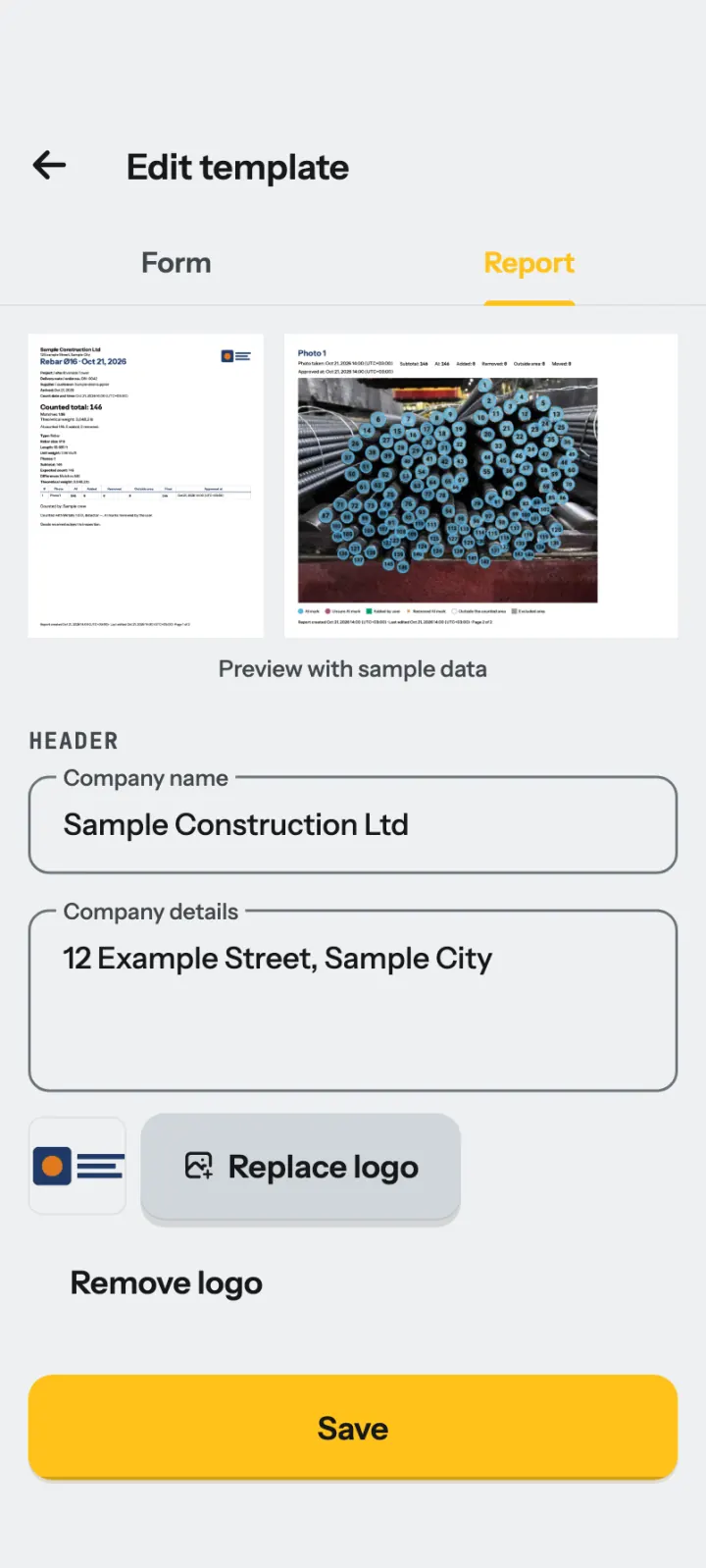
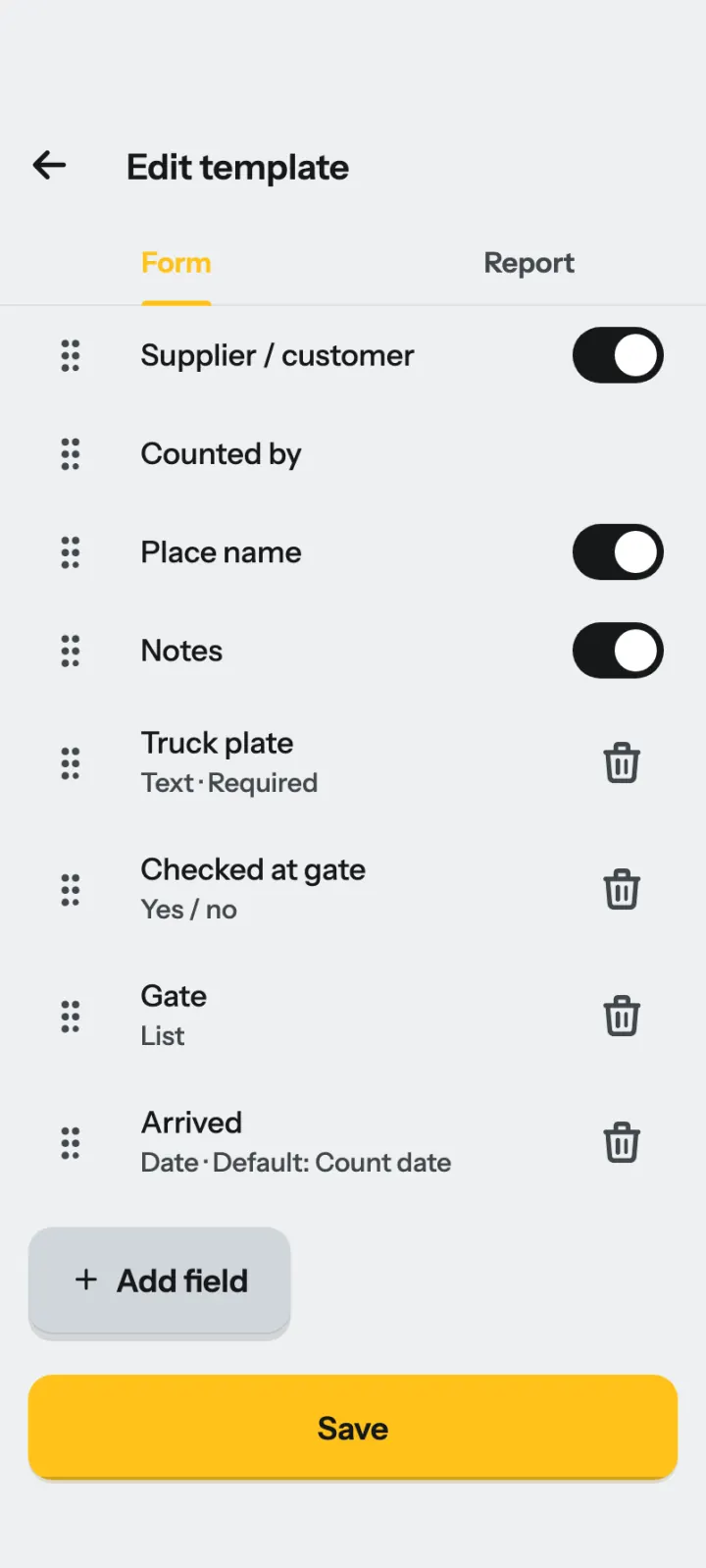
Retyping counts into a company form takes time and adds mistakes. In Metally you set up the report once: your company name and logo, A4 or Letter paper, an accent color, the order of the blocks and a footer note.
One person can build a template and send the file to the team. Everyone’s reports then share one style, and each report still names who did the count.
Hard photos
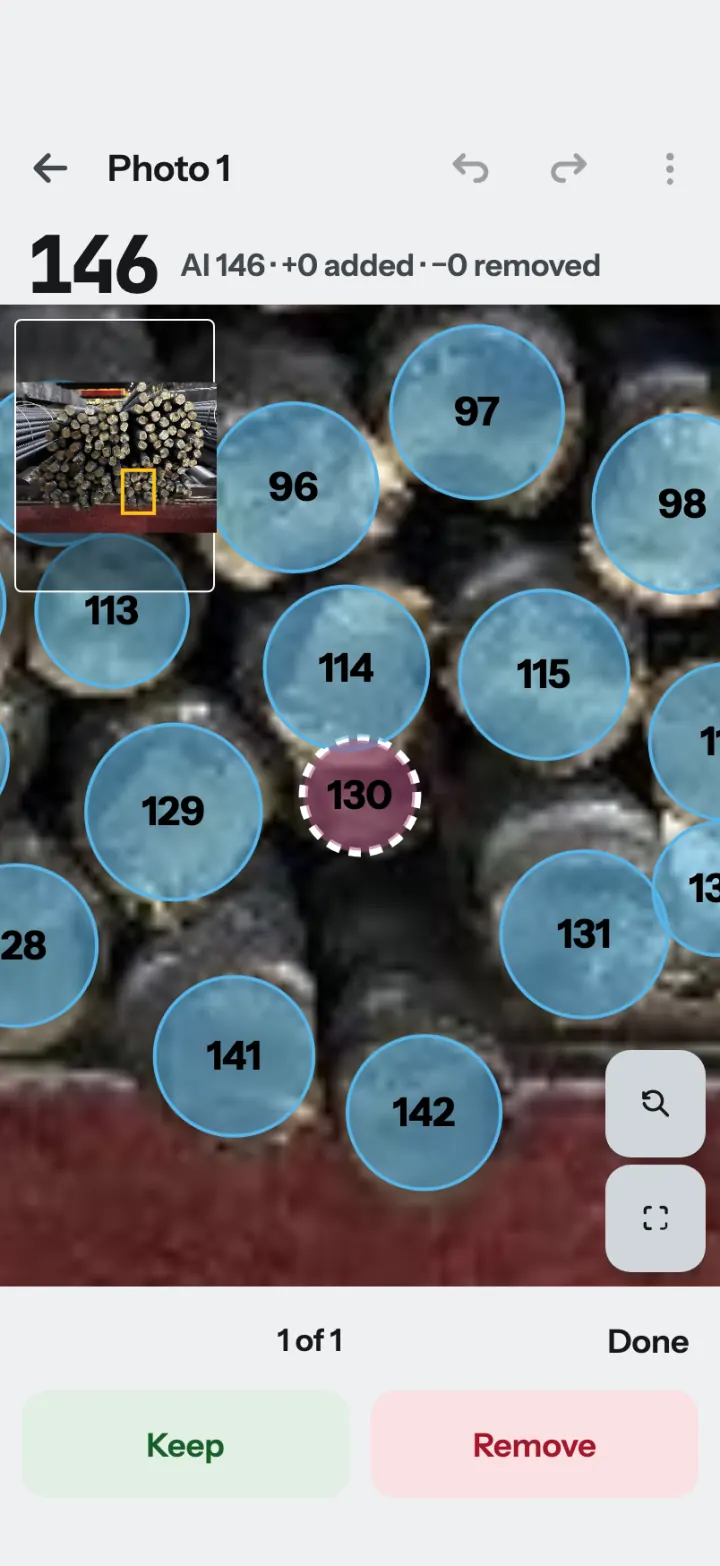
Glare, shadows and tight stacks make some ends hard to read. These tools let you fix the result on the photo, so you do not have to recount the stack by hand.
Draw an area to count one bundle only, or to leave part of the photo out.
Photograph a large load one part at a time, and all the photos add up to one total. Do not overlap the photos.
Metally draws a dashed mark where it is unsure, and takes you through these marks one by one.
Change any mark by hand, and undo or redo every change.
The level helps you hold the phone straight on to the ends, and the volume button works as a shutter.
Who it’s for
Site receiving
Compare the count with the delivery note, and keep the marked photo when the numbers differ.
Stockholders and pipe yards
Count stacked ends during stocktakes and dispatch, then export a CSV file to continue your records in a spreadsheet.
Scaffold rental
Count scaffold tubes when equipment leaves or returns. Each count holds one material in one size, and for scaffold tubes the size includes the length, so start a new count for each length.
Offline and private
Counting and report generation run on your phone, so a weak signal does not stop the work at the gate or in the stockyard. You send the report when you have a connection.
Detection and report generation run on your device. A network connection is not needed for these tasks.
No registration or account login is needed to use Metally.
Photos leave your device only when you export or share them, or choose to send them to us in the app.
The app is available in English, Spanish, Portuguese, French, German, Italian, Turkish, Russian, Arabic, Indonesian, Vietnamese, Traditional Chinese, Japanese and Korean.
Before the next load
What the photo can tell you, what to check, and what goes into the report.
Photograph the visible ends of a stack, then let Metally mark the items it finds. Review the marks and correct any errors before sharing the result. You can use the camera or choose an existing image.
Metally detects ends and shows marks you can check. Lighting, blur, shadows and hidden ends affect the result. Add missed marks and remove incorrect ones. No detection result replaces your review.
Use it for stacked rebar and TMT bars, solid round and square bars, pipes, and square or rectangular tubes. This includes scaffold tubes and plastic pipes. The ends must be visible, because the app cannot count pieces hidden behind others.
Yes. Detection, mark review and report generation run on your phone, so you can prepare the record without a signal. Sending it through messaging or email needs a connection to that service.
Enter the expected count from the delivery note and review the total. Metally shows whether the count matches, is short or is over. Each count holds one material, so start a new count for each material on the load.
Yes. Switch the camera to Several, and all the photos add up to one total. Photograph different parts of the load without overlap. An item shown in two images is counted twice, because Metally does not remove duplicates across photos.
Metally helps with stocktakes of stacked bars, pipes and tubes. Review the ends in each photo, save the count, and export a CSV file for your spreadsheet. It does not replace your inventory or ERP system.
Export a PDF report, marked photos or CSV data. The PDF can include your company logo, material details, quantities and signature. Choose where to save or send the files using the phone’s system menu.
The number depends on bar size and length. Metally estimates theoretical weight from pieces × length × unit weight. Steel geometry or a manual kg/m or lb/ft value supplies the unit weight. This estimate is not a scale measurement.
Yes. Capture a signature on the device after checking the count. The PDF includes the signature and the signing time. Reports also show when they were edited after signing, so check the final version before sending it.
No account or registration is needed. Counts are kept on the device. You choose whether to send an exported record, send a count to us, or enable improvement sharing in the app.
Metally is made for iPhone, iPad, and Android phones and tablets. Use the store page for your device to check compatibility before downloading. Performance depends on the device and the photograph.
There is no single quantity for every bundle. Pipe diameter, packing and the supplier’s order determine it. Count the visible ends and compare the reviewed result with the delivery note rather than assuming a fixed total.
Plans and prices are shown in the app, so you see the current price before you pay. When you decide to subscribe, the purchase goes through the App Store or Google Play.
Yes. Try the demo photos in the app before you buy. They show how counting and checking work, and you can open them from Settings at any time.
The store you buy through handles payment, renewal and cancellation under its own terms, and refund requests go through the store. If you have a question, write to us at hello@metally.app.
Yes. Draw a count area to count one bundle only, or to leave part of the photo out. Metally then counts the ends inside the area.
A dashed mark shows an end that Metally is unsure about. The app takes you through these marks one by one, so you can keep or remove each one before you approve the photo.
Yes. A template can add fields as text, a number, yes or no, a list or a date. A required field is checked before export. Your fields appear in the PDF, the CSV file and History search.
Yes. One person builds a report template and sends the file to the team. Everyone’s reports then share one style, and each report still names who did the count. To talk about your team, write to hello@metally.app.
The app is available in English, Spanish, Portuguese, French, German, Italian, Turkish, Russian, Arabic, Indonesian, Vietnamese, Traditional Chinese, Japanese and Korean.
Photograph the ends straight on and fill the frame with one bundle. Avoid strong glare, and use the flash in the dark. For a big stack, switch the camera to Several and do not overlap the photos.
Pricing
Plans and prices are shown in the app, so you see the current price before you pay. You can always try the demo photos first.
When you decide to subscribe, the purchase goes through the App Store or Google Play. The store handles payment, renewal and cancellation under its own terms, and refund requests go through the store. You need no new account, and we never see your card details. You manage your subscription in the store account you already use.

Get Metally for your phone or tablet, and keep the count, the photo and the report together for your next delivery or stocktake.
On a computer? Scan with your phone.